For many families, a school's website is the first place they look before they ever visit the campus. They check admission dates, fee details, the academic calendar and contact numbers. Yet in many schools the website is rarely updated, because every change needs a developer or a vendor. A content management system, or CMS, is designed to solve that problem by letting non-technical staff update pages themselves.
What a school website CMS is
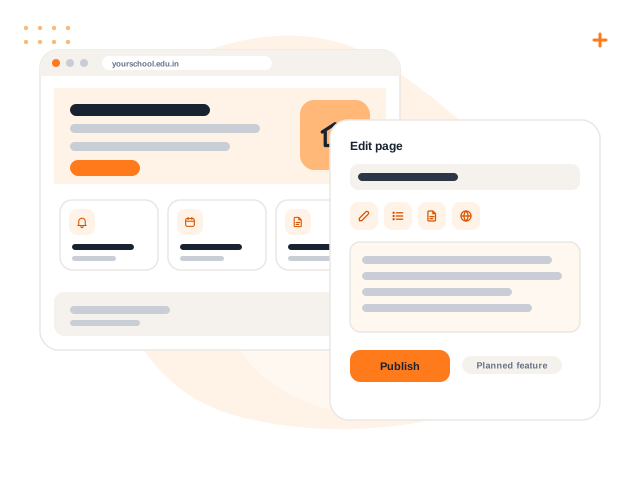
A CMS separates content from design. The look of the site is set up once, and staff then add or edit text, images, notices and events through a simple editing screen, much like writing a document. Nobody needs to touch code to publish a new circular or change a phone number.
Note: This article describes the general idea of a school website CMS. Evaluate any specific product against your own needs before you decide.
Why it matters for schools
Information stays current. Admission dates, holiday lists and contact details change every year. With a CMS, the office can update them the same day.
Less dependence on one person. When a single developer or one staff member controls the site, every change waits for them. A CMS lets several trained people share the work.
Consistent appearance. Pages built from the same templates look uniform, which helps the school appear organised and trustworthy.
Better first impressions for admissions. Prospective parents should find clear information about classes, facilities, fees policy and how to apply, without having to call the office.
Content a school site typically manages
| Content | Why it needs regular updates |
|---|---|
| Notices and circulars | New ones appear throughout the year |
| Events and calendar | Dates shift and new events are added |
| Admission information | Eligibility, process and dates change each session |
| Photo galleries | Events and achievements need to be shared |
| Staff and leadership pages | People join and leave |
| Contact details and map | Must always be correct |
Features worth looking for
If you are comparing options, consider the following.
- Easy editing. Can a clerk with basic computer skills publish a notice without help?
- Roles and approvals. Can you allow staff to draft content while a senior person approves it before it goes live?
- Mobile-friendly pages. Many parents will open the site on a phone.
- Media handling. Images should be resized sensibly so pages load quickly.
- Search engine basics. Editable page titles and descriptions help families find the school.
- Backups and security. Ask how content is protected and how it can be restored.
- Contact and enquiry forms. If the site collects enquiries, check who receives them and how spam is handled.
Practical advice for managing the site
- Appoint an owner. One person should be responsible for the accuracy of the whole site, even if several people contribute.
- Review on a schedule. Check key pages such as admissions and contact details at the start of each session.
- Remove old content. An outdated circular from three years ago is worse than no circular.
- Get consent for photos. Do not publish identifiable photos of students without the permission your school policy requires.
- Avoid personal data. Never put student marks, phone numbers or other private information on a public page.
Connecting the website with school operations
A website is most useful when it matches what the school actually does. Admission forms that feed straight into the office's list of enquiries save retyping. Public notices and events that also appear in the parent portal avoid the situation where the website says one thing and the circular says another. When evaluating tools, ask how the public site and the internal system share information, or whether they will remain two separate places to update.
A note on Volvoq
A school website CMS is on Volvoq's roadmap and is not available yet. Volvoq currently covers the internal side of school management, including notices and events that families see in their portals. If a public website matters to you today, plan for a separate solution and treat any future integration as a bonus rather than a dependency.
Bring this into your school with Volvoq
Volvoq is a school ERP for student records, attendance, fees, exams and parent portals. Book a demo to see how it could fit your school.
Book a Demo