Attendance looks like a small daily task, but it touches almost everything else in a school: safety, parent communication, board requirements and academic follow-up. Paper registers do the job, but they make it hard to spot patterns or answer simple questions quickly. Digital attendance management replaces the register with a shared record that teachers, coordinators and administrators can all use.
What digital attendance changes
In a paper system, a teacher marks the register, and someone later copies totals into another file for reports. In a digital system, the teacher marks attendance once and the information is immediately available wherever it is needed.
The practical differences are easy to see:
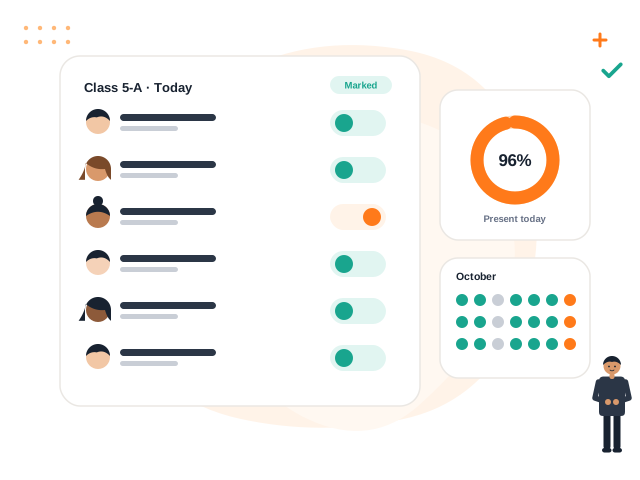
- Marking takes place on a single screen listing the students of a class.
- Absentee lists are available as soon as marking is complete.
- Monthly summaries are calculated by the system instead of by hand.
- Past records can be searched by student, class or date.
Common attendance workflows
Schools differ, so it helps to be clear about which workflow you actually follow.
| Workflow | Typical use | Things to decide |
|---|---|---|
| Daily class attendance | Most primary and middle schools | Who marks it and by what time |
| Period-wise attendance | Senior classes with subject teachers | How late arrivals are recorded |
| Staff attendance | Teachers and non-teaching staff | Who verifies and approves it |
Whichever you use, agree on the status values in advance. A simple set such as present, absent, late and on leave is easier to keep consistent than a long list of codes.
Benefits for different people
Teachers spend less time on arithmetic and on rewriting the same information. Marking becomes a short routine at the start of the day.
Class teachers and coordinators can see which students are repeatedly absent and speak to families early, instead of discovering a problem at the end of the term.
Principals get a school-wide picture without waiting for each class teacher to submit a register.
Parents can be informed about their child's attendance through the portal or a notice, so a pattern does not come as a surprise.
Note: Attendance data is personal information about children. Limit access by role, and make sure only authorised staff can edit a record after it has been saved.
Setting up attendance well
Technology only helps if the routine around it is clear. These steps make the change smoother.
- Fix the class lists first. Attendance is only as accurate as the list of students in each section. Update promotions and transfers before you begin.
- Set a marking deadline. For example, attendance for each class is saved within the first period. Without a deadline, marking drifts to the end of the day.
- Decide who can correct mistakes. Teachers will sometimes mark the wrong student. Define who may edit a past entry and whether a reason must be recorded.
- Handle holidays and special days. Make sure declared holidays are entered in the calendar so they are not counted as absences.
- Train substitute teachers. Cover teachers need access or a clear fallback for marking.
Mistakes to avoid
- Marking at the end of the week from memory. This defeats the purpose and produces unreliable data.
- Using attendance only for compliance. The record is most valuable when someone actually reviews it and acts on repeated absences.
- Ignoring late arrivals. If late marking is not possible, punctuality problems stay invisible.
- Changing the system mid-term. Start at a natural break such as the beginning of a term, so records are not split across two formats.
Reviewing the data
Marking is only the first half. Set aside a regular time, such as a weekly review by class teachers, to look at the students who have been absent several days. A short conversation with the family often reveals a transport, health or home problem that the school can help with.
Volvoq includes class attendance marking with summaries for teachers and administrators, and attendance is visible to parents and students through their portals. It does not currently support biometric attendance devices.
Bring this into your school with Volvoq
Volvoq is a school ERP for student records, attendance, fees, exams and parent portals. Book a demo to see how it could fit your school.
Book a Demo